Sorry, your browser is not supported. For a better experience, keep your browser up to date. Check here for latest versions
A Double Sided Led Screen can show different content to people approaching from opposite directions. That makes it useful in shopping centers, transport hubs, exhibitions, and street-facing storefronts. Yet two visible faces do not automatically mean twice the value. Brightness, viewing distance, installation space, and daily operating costs all affect whether a screen fits its location.
Choosing well starts with the site. Measure the available width and height, then note where viewers stand and how quickly they pass. Check whether sunlight reaches either face; a screen that looks vivid indoors may appear washed out near a bright window. Ask suppliers for brightness figures, pixel pitch, refresh rate, and viewing-angle details, and compare those figures under similar conditions. Small print matters.
The mounting design deserves equal attention. Confirm how the unit will be supported, serviced, and ventilated, especially if it hangs above a busy walkway. Review content-management tools and ask how easily staff can schedule separate messages for each side. Energy use and access to replacement parts can shape long-term costs. A polished demonstration is helpful, but it cannot fully recreate your real site. I would also question any claim of “perfect visibility” without clear testing conditions. That uncertainty is worth acknowledging. The following seven tips offer a practical way to compare specifications, installation needs, content flexibility, and supplier support before making a decision. A careful choice can prevent an attractive display from becoming an awkward fit.
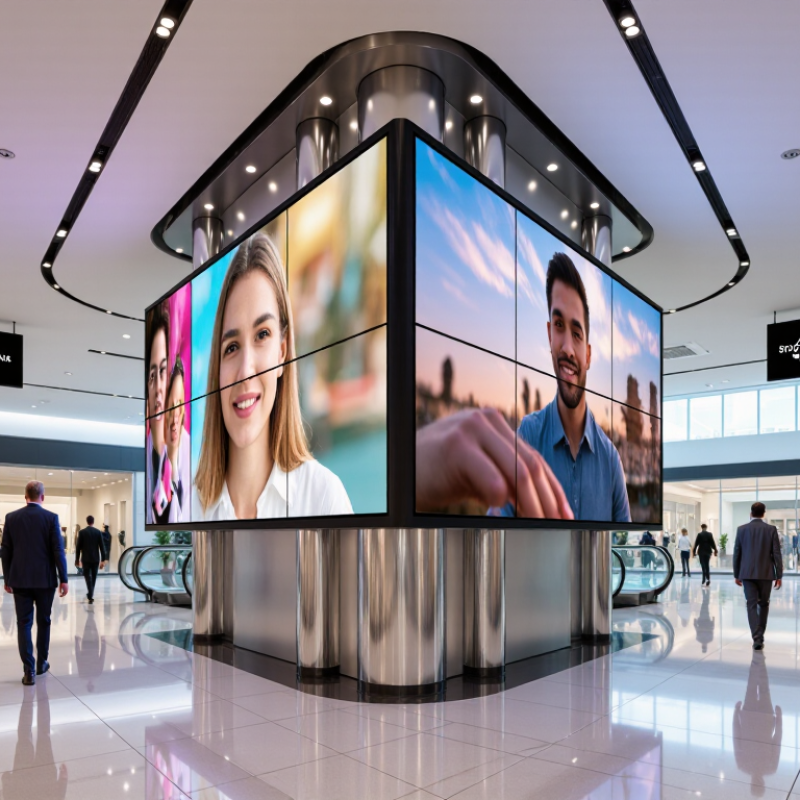
A double-sided LED screen is not simply one display with a mirror behind it. It uses two outward-facing LED panels, usually mounted back-to-back, with separate image surfaces. Each panel receives pixel data from a controller and converts electrical signals into light. The content can match on both sides or differ, depending on the controller and wiring. Small details matter: a passerby may see one face in bright daylight while the other faces a shaded corridor. Brightness, viewing angle, pixel pitch, and ventilation should therefore be considered for each side.
The wider market is growing, but that figure needs context. MarketsandMarkets’ LED display market report estimated a value of about US$7.1 billion in 2023 and projected US$11.7 billion by 2028. This covers LED displays broadly, not double-sided models alone. It signals expanding use, not a guarantee that every installation will perform well. Heat can build between closely mounted panels. Power supplies and control systems must also support both faces reliably. One detail is easy to miss: two images may look identical in a specification sheet, yet appear uneven under different lighting. That deserves a real-site check. The report gives scale, not a buying answer.
A double-sided LED screen should serve a clear purpose on both sides. Consider whether it will guide visitors, promote events, or share changing information. The content may need to differ by direction: people entering a venue need different details from those leaving. That sounds obvious, but it is easy to overlook when planning a display.
L ocation shapes the viewing experience. A screen in a station corridor may be seen for only a few seconds, while one in a shopping area might hold attention longer. Check the available space, mounting height, nearby windows, and sources of glare. Visit the site at different times of day if possible. Sunlight can wash out one face while the other remains readable. A site visit helps. Take a photo from typical viewing points, then assess whether text and key visuals remain clear.
Think about viewing distance and movement, too. People walking past need large text and simple layouts; drivers or cyclists require even more time to read safely, so avoid detailed messages in fast-moving areas. Estimate how far viewers stand from each side, and consider whether the screen faces a queue, open walkway, or passing traffic. These observations may be imperfect, especially before installation. Still, recording assumptions about light, distance, and viewing time gives you a practical basis for choosing brightness, resolution, and content size.
When comparing double-sided LED screens, check pixel pitch, resolution, brightness, refresh rate, and viewing angle for each face. A finer pitch can sharpen close-up text, but it may add cost without improving distant viewing. Measure the actual audience distance, not just the installation footprint. Also compare both sides in the same lighting; a bright window can wash out one face while the other looks vivid.
Tip: Ask for measured brightness in nits, plus grayscale and color-uniformity results. ITU-R Recommendation BT.2020 defines a wide color space for ultra-high-definition television, but a screen’s claimed gamut does not guarantee accurate color. Request instrument-based measurements and inspect skin tones, fine text, and dark gradients on both faces. Look for visible banding. It matters.
Check refresh rate and grayscale performance with a camera as well as your eyes. A screen may look smooth in person but show flicker or rolling bands in recorded footage. Confirm the supplier’s test conditions, including brightness setting and viewing angle. LED output and color can shift off-axis. That is easy to miss in a showroom. Specifications help, though real viewing tests should decide the choice.
Brightness is one factor in comparing double-sided LED screens: indoor displays commonly range from 600–1,200 cd/m², window-facing displays from 2,500–5,000 cd/m², and outdoor displays from 5,000–10,000 cd/m². These are typical ranges, not product guarantees; ambient light, viewing angle, pixel pitch, and refresh rate also affect image quality.
A double-sided LED screen can look straightforward on a drawing and become complicated on site. Check the mounting point, wind exposure, and total display weight before choosing a location. A pole or suspended frame must support both cabinets, plus cables and service access. Measure sightlines from each direction; a screen partly hidden by a beam wastes useful viewing area. Allow room behind the displays for technicians to reach power supplies and connectors. Tight access is a small design choice with a long afterlife.
Durability depends on the environment, not just the enclosure rating. For outdoor use, ask how the unit handles rain, dust, temperature swings, and direct sunlight. Look for clear operating limits and a realistic plan for drainage and ventilation. Heat matters. Poor airflow can shorten component life, even when the cabinet appears sealed. Check that the structure resists vibration, especially near busy roads or exposed rooftops. A sturdy bracket alone does not guarantee a stable installation.
Maintenance should be practical on an ordinary workday. Confirm whether modules can be replaced from the front or rear, and ask how long common parts typically take to arrive. Review cleaning instructions, inspection intervals, and access requirements before installation. Keep a record of brightness settings and faults; it helps technicians spot gradual changes. One detail is easy to miss: a screen may be serviceable, but not safely reachable. Plan for that before the lift arrives.
| Tip | What to Evaluate | Practical Guidance | Why It Matters |
|---|---|---|---|
| 1. Confirm the installation location | Indoor or outdoor use, available mounting space, viewing distance, and exposure to wind, rain, or direct sunlight. | Measure the mounting area and check the structure’s load capacity. For outdoor installations, account for local weather and applicable building requirements. | The location affects screen visibility, mounting design, weather protection, and installation cost. |
| 2. Assess mounting and access | Ceiling, pole, wall, or suspended mounting; access for installation equipment; and space to reach both display faces. | Request installation drawings that show the screen’s dimensions, weight, fixing points, cable routes, and service clearances. | Double-sided units can be heavier and more complex to install than single-sided displays, especially in confined or elevated locations. |
| 3. Select an appropriate pixel pitch | Pixel pitch in millimeters and the expected distance between the display and viewers. | Compare samples or viewing-distance guidance for the intended application. Smaller pixel pitch generally supports closer viewing but can increase cost and power requirements. | A suitable pixel pitch helps text and images appear clear without paying for resolution that viewers may not notice. |
| 4. Check brightness and readability | Ambient light, glare, viewing angles, and whether each side faces different lighting conditions. | Ask for specified brightness and confirm whether brightness can be adjusted automatically or manually. Evaluate the screen under representative lighting where possible. | Readable content depends on both display brightness and the environment; excessive brightness may waste energy and cause glare. |
| 5. Verify durability and protection | Enclosure materials, ingress protection rating, operating temperature range, ventilation, and resistance to corrosion or vibration. | Match the manufacturer’s documented environmental ratings to the installation conditions. Confirm that the complete assembled system—not just individual components—is suitable for exposure. | Appropriate protection can reduce failures caused by moisture, dust, heat, cold, or vibration. |
| 6. Plan maintenance for both sides | Access to modules, power supplies, receiving cards, fans, filters, and cable connections on each display face. | Check whether components can be serviced from the front, rear, or both, and identify any lift or access equipment required for routine work. | Service access affects downtime, labor, and the practicality of maintaining a double-sided installation safely. |
| 7. Compare power, controls, and support | Power consumption, circuit requirements, content-control compatibility, warranty terms, spare-parts availability, and technical support. | Request power figures for typical and maximum operation, confirm control-system compatibility, and review written warranty and service conditions. | Operating costs and support arrangements influence the total cost of ownership throughout the screen’s service life. |
Choosing a double sided LED screen means balancing visibility with the cost of running it every day. Ask for power consumption at typical brightness, not only the maximum rating. A screen facing a sunny street may need stronger output at noon, while evening operation often needs less. Automatic brightness adjustment can reduce energy use and glare, but check that its sensor responds reliably to changing light. Small details matter. Compare estimated daily consumption using your actual operating hours and local electricity rates.
Control features affect both workload and long-term value. Remote scheduling, brightness settings, and content updates can save staff trips to the display, especially when it is mounted above a storefront or in a busy lobby. Yet complex software is not automatically better. Request a demonstration, test the interface, and confirm what happens if the network drops. A basic, dependable setup may suit a small shop better than features nobody uses.
Look beyond the purchase price. Include installation, mounting hardware, maintenance access, replacement parts, and expected energy costs in your budget. Ask how the display handles heat and whether technicians can reach both faces without dismantling the structure. A cheaper unit can become expensive if routine repairs require specialist visits. It is easy to overvalue brightness and underestimate upkeep; I would leave room in the budget for an occasional repair, even with a strong warranty.